
Radio Atlas
95SterneErkunde Live-Radio auf einem drehbaren Globus und spiele Sender über die Mediensteuerung von Omarchy ab.
Akshar Patel - Widgets
Das formbare OS für das Zeitalter der Agenten.Vibe dich durch jede Änderung, jeden Tweak, jedes Problem.
Linux war früher mühsam einzurichten, schwer zu debuggen und voller verwirrender Entscheidungen gleich zu Beginn. Omarchy löst all das mit einer blitzschnellen Installation, Agenten, die alle Probleme debuggen, und fantastischen Standardwerten, die dir ein voll funktionsfähiges System geben, das von Anfang an großartig aussieht.
Oma steht für Omakase, die Wahl des Chefs: Wir wählen die Werkzeuge und stimmen die Details ab, damit du direkt losarbeiten kannst. Aber dies ist dein Computer. Du darfst alles verändern.
Dahinter steht Omarchy-Doktrin: zehn Prinzipien, um die Nerds zu vereinen, die Agenten willkommen zu heißen und den perfekten Computer zu bauen. Wir sind noch nicht so weit, aber können wir jetzt alles reparieren.
Erlebe eine Übertragung von Begeisterung.
In nur 35 Sekunden auf den schnellsten Maschinen einsatzbereit, auf den meisten Computern in unter zwei Minuten.
Schreibe die ISO auf einen USB-Stick und beantworte fünf Fragen. Dafür bekommst du einen fertigen Desktop zurück.
In unter einer Minute vom Stick zum Desktop. Verifiziere die Datei: SHA-256, Signatur.
Ganz Omarchy in einer virtuellen Maschine, damit du es erst einmal ausprobieren kannst.
Apple-Silicon-Macs, Windows 10 und 11.Unter Linux ist die ISO der Weg hinein.
Das Handbuch behandelt außerdem im Dual-Boot neben Windows und unbeaufsichtigte Installationen.
Du brauchst keinen neuen Rechner, um Omarchy auszuprobieren. Aber wenn du dir einen holst: Die heutigen Laptops sind fantastisch.
Lust auf etwas Neues? Laptops wie das neueste Dell XPS geben fantastische Omarchy-Maschinen ab, und unser Kernteam hilft dabei, neueste Hardware korrekt zum Laufen zu bringen.
Lerne das Team dahinter kennenGib deinem alten Intel-Mac ein zweites Leben. Omarchy bringt einen frischen Desktop auf die Hardware, die du schon liebst.
Mac-SupportSelbst ein ThinkPad X220 von 2011 mit 2GB RAM läuft mit Omarchy flüssig, mit Reserven. Dein alter PC hat vielleicht noch einiges zu geben.
Sieh zu, wie die Kartoffel läuftTausende Community-Plugins sind für Omarchy verfügbar. Findest du nicht, was du brauchst? Setz einfach deinen Agenten darauf an und teile es, wenn du fertig bist.
Erkunde Live-Radio auf einem drehbaren Globus und spiele Sender über die Mediensteuerung von Omarchy ab.
Akshar Patel - Widgets
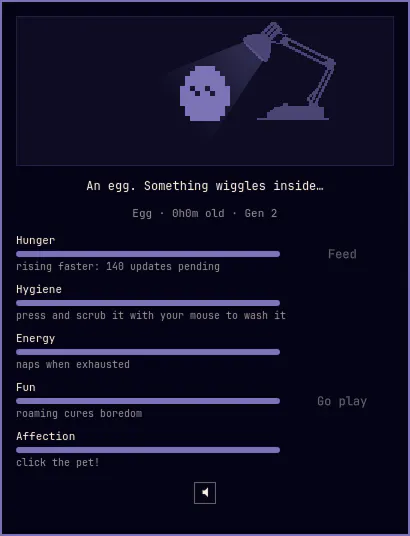
Ein 1-Bit-Desktop-Haustier in deiner Leiste, im Geist der Originale von 1997: Füttere es, halte es sauber, knuddle es und lass es über deinen Bildschirm streunen und deine Fenster erklimmen. Es schlüpft, wächst und entwickelt sich mit der Pflege, die du ihm gibst.
SLcode777 - Other
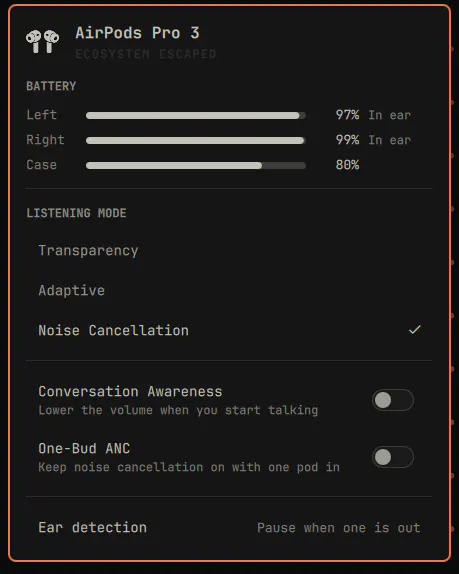
AirPods in der Omarchy-Leiste: Akkustand pro Pod und Case, Hörmodus, adaptiver Geräuschpegel, Konversationswahrnehmung, ANC mit einem Bud und Ohrerkennung.
GM - Hardware
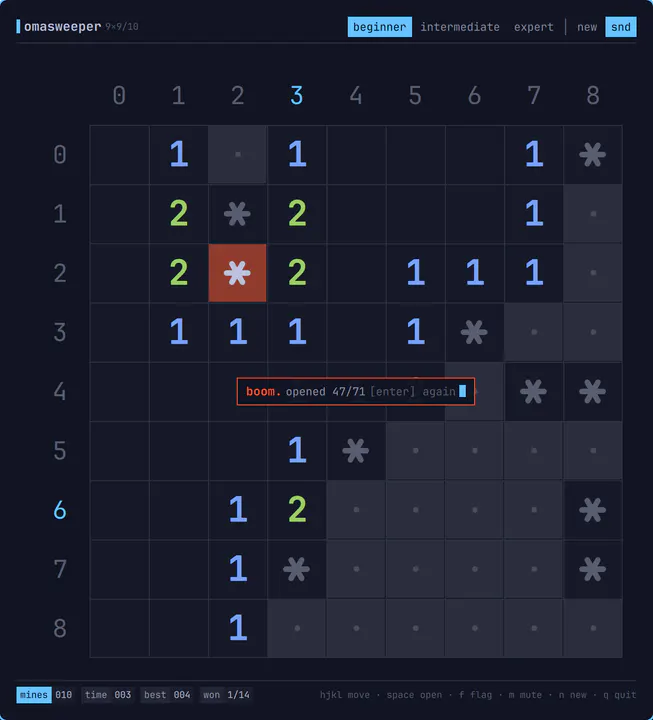
Minesweeper für omarchy-shell, gezeichnet wie ein TUI: ein Zeichenraster auf Haarlinien, Basis-36-Rinnenbeschriftungen, ANSI-Zahlen und eine Statusleiste. Öffnet sich als gewöhnliches gekacheltes Fenster, spielt sich komplett über die Tastatur mit Vim-Bewegungen, macht 8-Bit-Geräusche und entlädt sich wieder, wenn du es schließt. Aufrufen mit: omarchy-sh
Jankees - Widgets
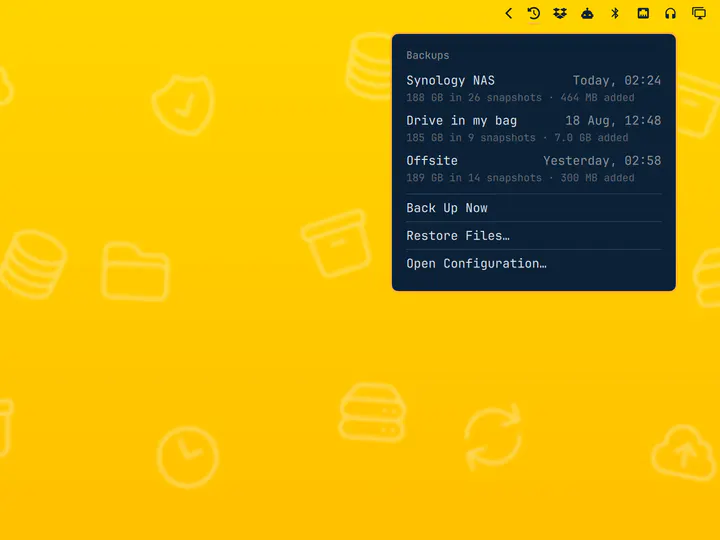
Dein Agent sollte sich auf deinem Computer zu Hause fühlen. Omarchy gibt ihm die Werkzeuge und Skills, dir zu helfen, das ganze System zu verstehen, zu reparieren und zu formen.
Beim ersten Start lädt Omarchy dich ein, einen Standard-Agenten einzurichten. Wähle deinen Favoriten, melde dich an und schicke ihn an deinem Computer an die Arbeit.
Wenn eine App abstürzt, klicke auf die Benachrichtigung, um deinen Agenten auf den Fall anzusetzen. Er kann den Crash-Dump untersuchen, diagnostizieren, was schiefgelaufen ist, und beim Melden des Bugs helfen.
Omarchy bringt Skills mit, die deinem Agenten helfen, Apps, Plugins und Themes zu bauen. Beschreibe, was du willst, probiere aus, was er baut, und teile es mit allen.
Ein Theme gestaltet das ganze System auf einmal um: Terminal, Leiste, Benachrichtigungen, Hintergrund. Such dir eins aus, und auch diese Seite trägt es. Oder drücke T um durch sie zu blättern.
Die Werkzeuge, die du kennst, eingerichtet zum Zusammenspiel. Bring deine Projekte mit, wähle deine Favoriten und lege direkt mit dem Bauen los.
Neovim ist der Standard, mit VSCode, Cursor, Zed, Sublime Text, Helix, Vim und Emacs bereit zur Installation. Wähle deinen Favoriten und mache ihn zum systemweiten Standard.
Wähle deinen EditorInstalliere Ruby on Rails, Laravel, Node.js und viele weitere Entwicklungsumgebungen über das Omarchy-Menü. Mise kümmert sich um die Sprachversionen, sodass jedes Projekt nutzen kann, was es braucht.
Richte deinen Stack einFoot ist das schnelle, leichte Standard-Terminal. Lieber Alacritty, Ghostty oder Kitty? Alle vier sind integriert, und beim Wechsel des Standards funktionieren dieselben Tastaturkürzel weiter.
Wähle dein TerminalAuch verfügbar: Herdr, Tmux, Docker, Lazygit, und die besten Shell-Werkzeuge.
Omarchy ist bereit für Steam, RetroArch und eine ganze Welt des Gamings. Grafiktreiber und Konfiguration, einschließlich NVIDIA auf unterstützter Hardware, werden bei der Installation erledigt.
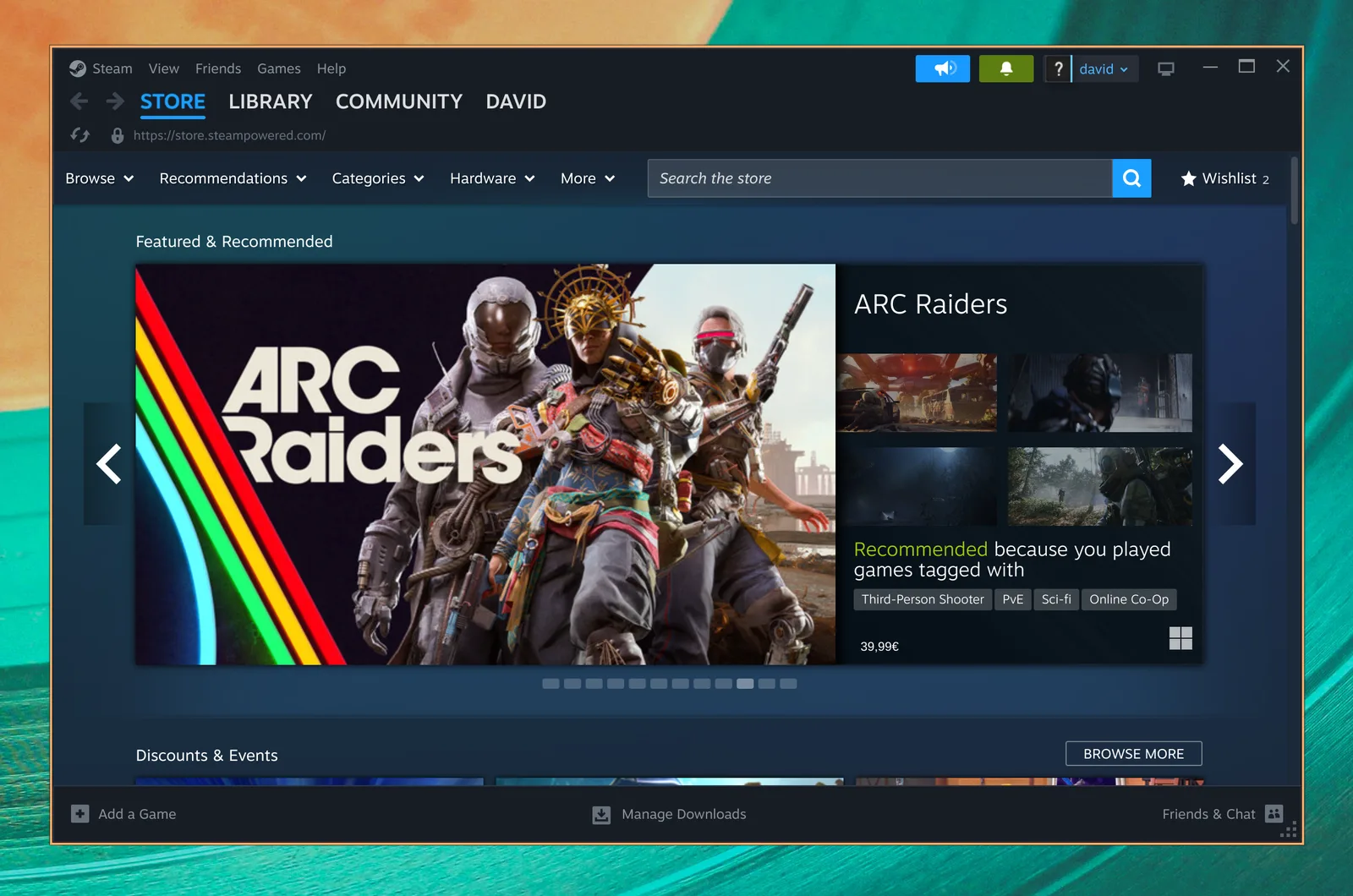
Deine PC-Spielebibliothek, zu Hause auf Linux. Steam und Proton bringen eine riesige Welt moderner Spiele nach Omarchy.

Erlebe die Klassiker neu mit einem kompletten Satz Emulator-Cores und dem wunderschönen CRT-Royale-Shader, bereits konfiguriert für den Retro-Look.
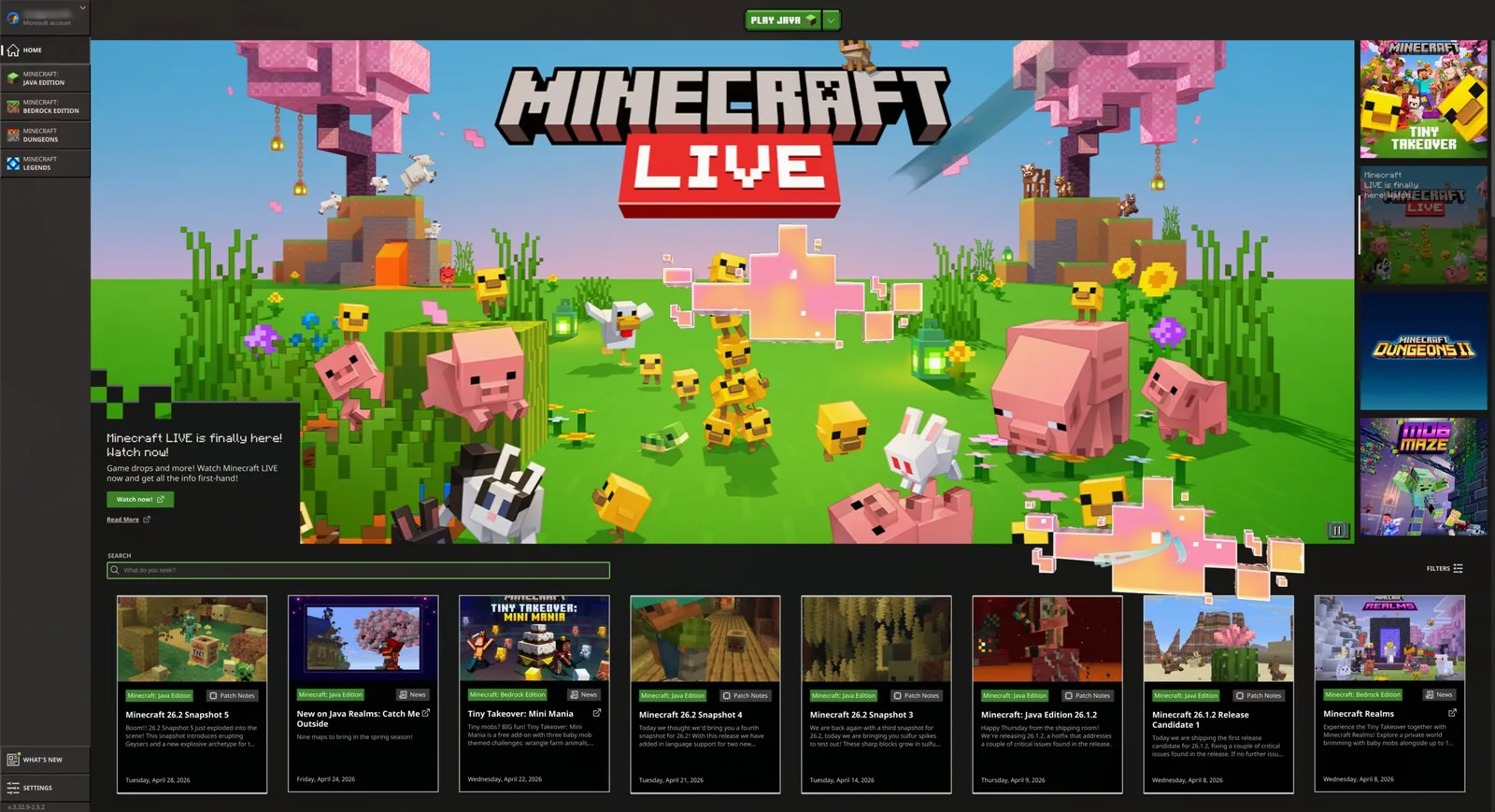
Baue, erkunde und erschaffe deine eigene Welt. Installiere Minecraft direkt über das Omarchy-Gaming-Menü und lass deiner Fantasie freien Lauf.
Auch verfügbar: Battle.net, Lutris, Heroic, Moonlight, GeForce NOW, und Xbox Cloud Gaming.
Behalte die Windows-Apps, die du brauchst, direkt in Omarchy. Unser Windows-11-VM-Setup schafft Platz für natives Microsoft Office und die anderen Programme, ohne die du nicht auskommst.
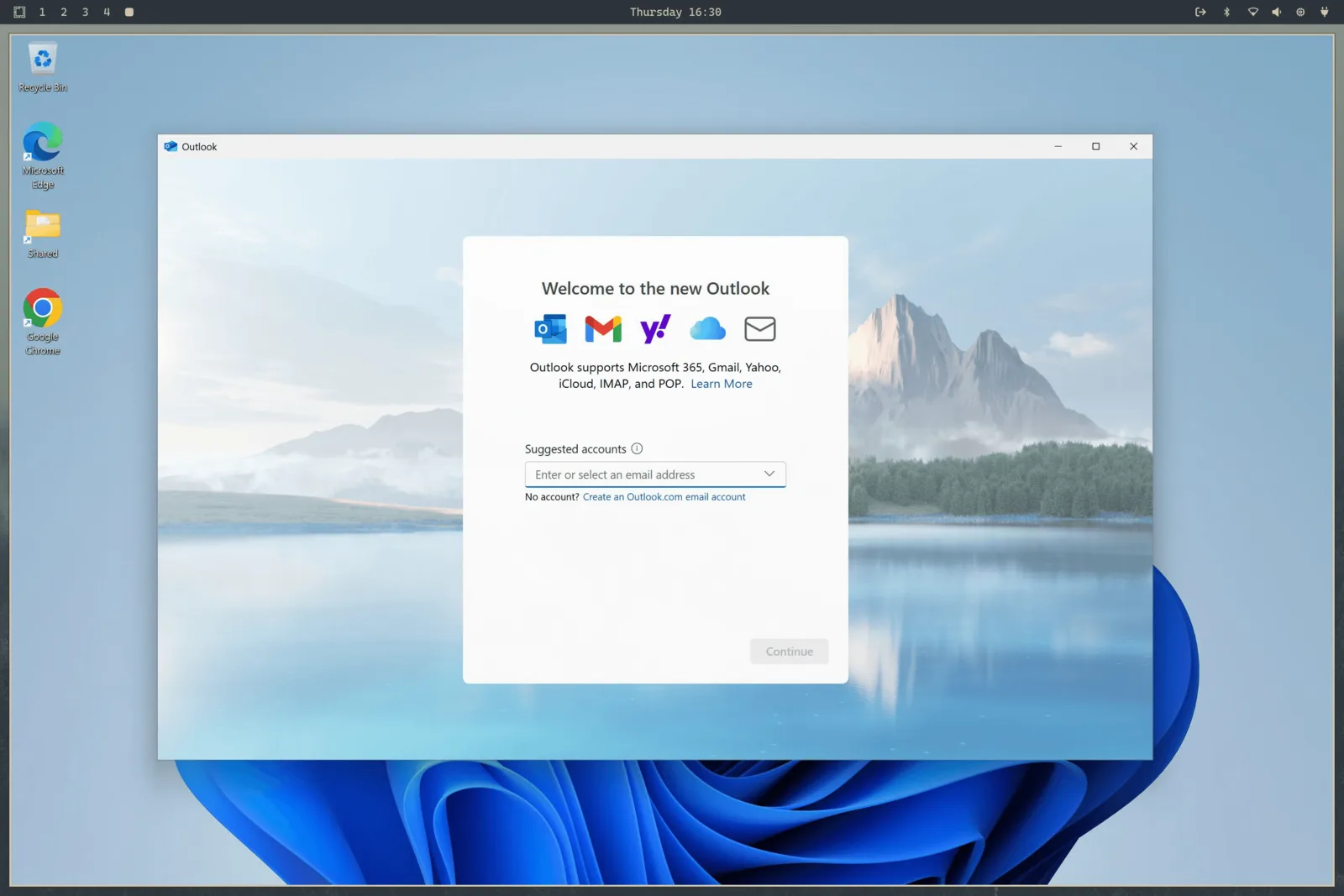
Wählen Install > Windows aus dem Omarchy-Menü. Hardware-Virtualisierung bringt nahezu native CPU-Leistung für Office und alltägliche Arbeit, mit geteilter Zwischenablage und einem Ordner zum Verschieben von Dateien zwischen Windows und Linux.
Bring eine gültige Windows-11-Pro-Lizenz für eine VM mit. Führe aus omarchy windows key um den Originalschlüssel deines Rechners auszulesen (funktioniert nur mit Pro-, nicht mit Home-Lizenzen).
Dieses Setup hat keine GPU-Beschleunigung oder -Durchreichung. Es ist ein großartiges Zuhause für Dokumente, Tabellen und Windows-only-Arbeits-Apps, aber nicht für Gaming oder anspruchsvolle Grafikarbeit gedacht.
Spenden, Downloads und Beiträge. Momentum lebt von allem.
Was die Leute nach der Installation auf X gepostet haben.
Beiträge werden in ihrer Originalsprache angezeigt.
 Alex Finn@AlexFinn · Aug 28
If you use AI, you need to switch to Omarchy immediatelyIt is an AI first, open source operating system by @dhh and it has skyrocketed my productivityIn this video I cover how to use it, how to install it, and why I'm having more fun using computers than I ever have before:

 Ojisan Kaichou@OjisanKaichou · Aug 28
After 3 days I am confident in saying that Omarchy Quattro is the absolute best operating system I have ever used, hands down. Better than MacOS. Better than Ubuntu. Way better than Windows. I never knew how much I wanted a tiling window manager until now. I never knew how slow everything else is until now. I didn't know that computing could be as easy and enjoyable today as it was back in the Commodore 64 era. It strikes the perfect balance between "it just works" and "it works if you put in the effort." MacOS is the former, other Linux distros are the latter. The AI integration with Omarchy makes it easy to customize and fix any problems along the way with minimum friction and frustration. Doing everything with keyboard commands takes me back to the Windows 3 era when Windows was fun and not an evil overlord.But I do know that I have only scratched the surface of what Omarchy has to offer. The future looks bright!

 Simon Høiberg@SimonHoiberg · Sep 1
I'm officially installing Omarchy everywhere. This OS is just so good and it just doesn't stop growing on me 🤌Please create Omarchy Android, @dhh. I want to go all-in!
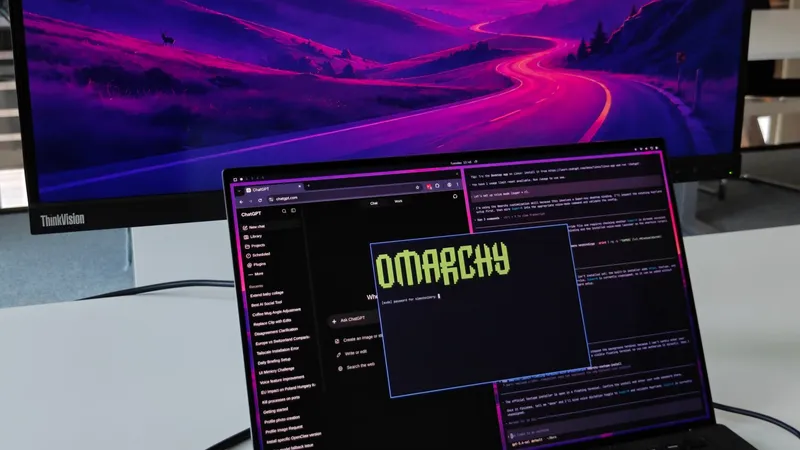
 Greg Gauthier@gmgauthier1967 · Aug 30
I will say this much about Omarchy: I haven't seen this kind of popular energy around an OPERATING SYSTEM, since Windows 95. This definitely has that "Where Do You Want To Go, Today?" feel to it. https://www.youtube.com/watch?v=wRdl1BjTG7c
 Hybrid 🏃🏾@markfenner · Aug 21
I’ve been running Ubuntu on my second machine for over a decade.After seeing another breakdown of Omarchy, this time from @NetworkChuck, I’m fully making the switch today.He changed the entire desktop theme in seconds, used an AI agent to build a Quickshell plugin, handed a crashed process to the agent for diagnosis, ran games through Proton, and launched a Windows VM when Linux wasn’t enough.Omarchy isn’t just Arch with a nice desktop.It starts with Arch, Hyprland, Quickshell, and a keyboard-first workflow, then gives you an environment you can continue reshaping around how you work (the linux boys calls this ricing).The operating system can become another surface your agents can help you modify.Ubuntu had a great run.Omarchy loading…

 Janis Ozolins@OzolinsJanis · Aug 28
I'm enjoying the last dance with Mac OS. It's been beautiful 15+ years. But I can't resist this passion and energy around Omarchy. I've never seen myself running Linux, as a non-dev, but times have changed.As a vibe-coding fanatic for the past year, it’s a no-brainer to switch to an OS where agents are first-class citizens and where customizing the OS is natural, unlike in Mac where it’s a bit of an uphill battle.
 typecraft@typecraft_dev · Aug 29
FWIW no one paid me to make a video about omarchy. I actually love it

 IroncladDev@IroncladDev · Sep 4
Omarchy unintentionally gave birth to a new design system that doesn't just follow the standardized UI patterns on mainstream operating systems, and it's beautiful
 Lars Jansen@oldstackjournal · Sep 1
I finally looked into Omarchy and I can see why dev twitter is suddenly obsessed with it.It’s basically Arch with somebody else making all the hard/endless decisions for you.Hyprland. Terminal first. Keyboard driven. Neovim. Plain config files. Very little “click through six settings panels and hope for the best”This style of OS makes a lot of sense now with ai. An agent can read the config, edit the config, install the package , restart he service, inspect the logs and change the workflow.Which is weird because the future of ai computing might end up looking a lot like the old way of using computers: files, terminals, scripts, text and a machine you can actually understand.
 Karl Løland@etroll · Sep 1
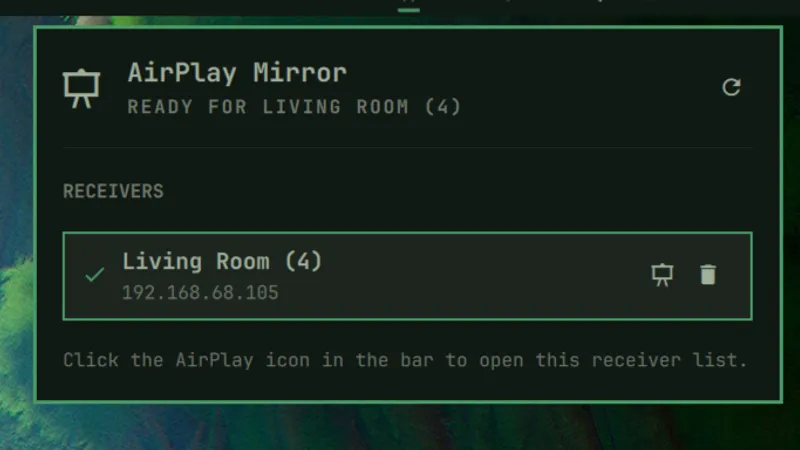
Using Omarchy for a week now, and needed the ability to mirror my screen to and AppleTV at the office (and home) for some presentation. Within ~30 mins, a plugin that can mirror screen and windows from Omarchy was created. The malleable computer from @dhh is the future happening in front of our eyes.https://github.com/ETroll/omarchy-airplay
 Anush Elangovan@AnushElangovan · Sep 5
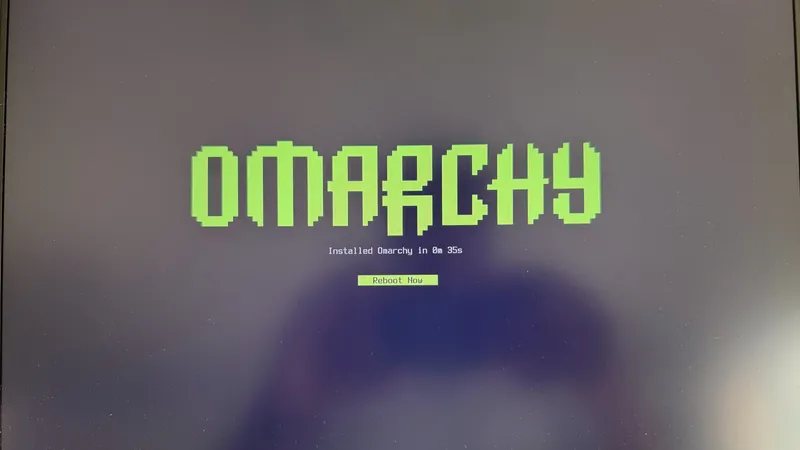
35s Omarchy install on my Halo laptop. Great work @dhh . This is now my daily driver. Still getting used to the short cuts but the best Linux desktop to date (close to my custom Gentoo build that ofcourse took a few weeks to dial in😝)
 Micah Bias@bias_micah · Aug 30
Installed Omarchy. I don’t think I’m going back to windows for my personal daily driver. About an hour getting used to the tile navigation, and I’m hooked. So far, everything I’ve needed to install has been a few keystrokes away, and it all just works. This is wonderful.
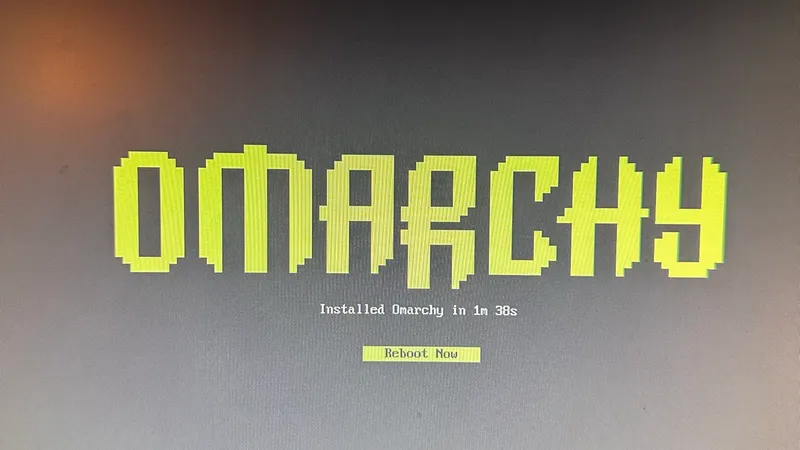
 Fredi Machado@fredimachado · Sep 6
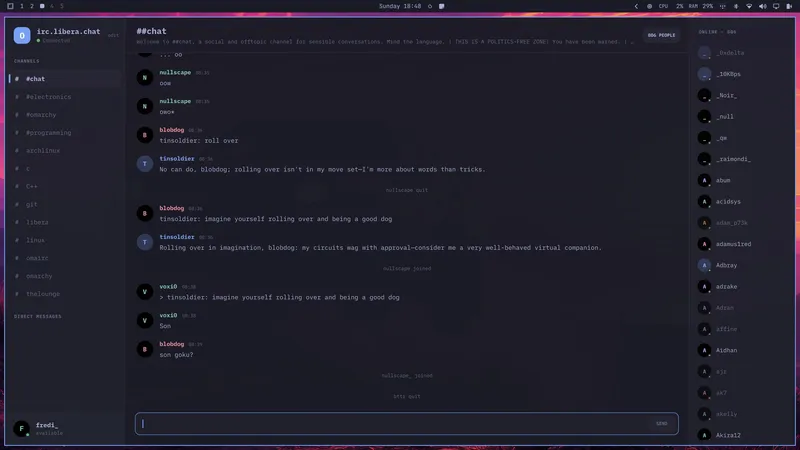
I'm having so much fun with Omarchy. I'm having that sense of childlike wonder with this thing. I love it! I even built a dead-simple IRC client (Omairc) for it, because why not? Thanks @dhh !! #omarchy
 Dmitrii Kovanikov@ChShersh · Sep 6
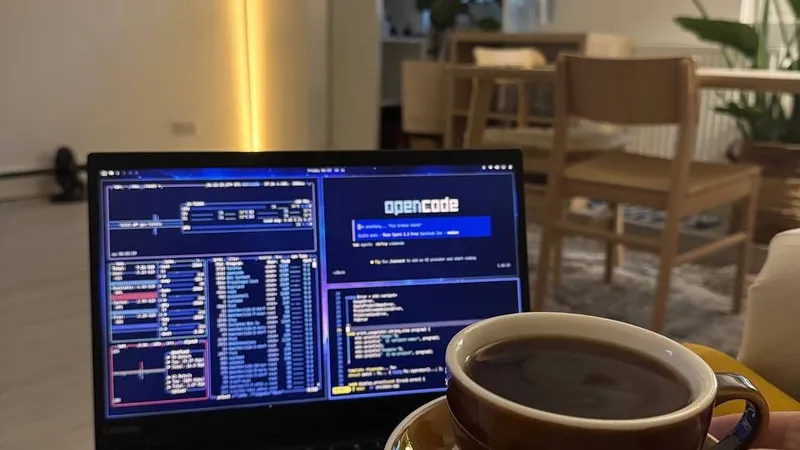
I've been using Omarchy for a week, and here's my full honest review.It's an OS that made me excited about computers again.I was planning to play with it for only a couple of hours. But I find myself spending more and more time using it. It's so pleasant to use that I don't want to go back.Omarchy is a chef's special. And you can say that all the ingredients, like Arch, Hyprland, OpenCode, etc., existed long before, so you could always make it for yourself (not really true; people have built some things specifically for Omarchy from scratch). But someone spending so much time and resources to package everything nicely makes a big difference.The fact that a fully working Omarchy setup is just a couple of minutes away makes a big difference. I can literally install it while I'm brewing my coffee and simply start using it immediately.It just works ™️And then I can spend all the time in the world tinkering with it because it's such a nice experience.You can notice that Omarchy is built by a person who cares about a product. It's not just tech supremacism. Every minor detail matters, and every papercut is taken seriously.As it should be.Even an innocent tiny thing like "pressing an arrow or backspace key moves the cursor a little bit faster" makes a big difference for me. I do feel like the computer matches my speed of thinking and working.Omarchy is not perfect. I had a minor issue with copy/paste keybindings with multiple language layouts (there's an open PR to address that already, and my agent fixed it for me locally). Terminal and browser windows take several noticeable seconds to start on my old laptop in a power-saving mode. My agent broke my theme once when I was trying to be too experimental with it (but then it easily reverted it to a working state).But honestly, this is nothing compared to how bad Windows and macOS can be in areas that matter.Omarchy will get better. Substantial resources are put into it, and I trust the @DHH vision to make it even better.My biggest genie wish for now is having a better file browser, e.g. a TUI version of Total Commander or Far Manager style. But I've already seen someone working on a similar thing, so I have high hopes.I just can't believe my oldest and least powerful laptop in my home is the machine I'm the most excited to use.
 Ravi Vasavan@ravivasavan · Sep 6
Installed Omarchy on my PC, went as far as wiping any traces of Windows from it. It truly is opinionated and I love that agents are considered native, setting it up has been fun and plugging in all of my go-to's were super easy. Hats off to @dhh and all involved.
 Elvinas Predkelis@predkelis · Jul 2
All right, Omarchy is quite something. It's been a while back since I've last used Linux as a daily driver. But Omarchy is a breeze - snappy, intuitive and a joy to use.Some personal tweaks here and there, adding Ghostty and it's a dream machine. Thank you @dhh 🙏
 l0gicgate@l0gicgate · Aug 30
I was using Manjaro and almost everything was broken in the distro. Omarchy just works out of the box and is more polished than other distros out there. Also wanted hyprland already setup for me. Been mainlining it for 425 days now. Love it.
 David@D_av_id_ · Aug 31
Posting this from Omarchy Quattro on my 2012 Mac Mini1. I love it 2. Omarchy runs circles around macOS itself on this machine, which had become entirely unusable
 Brodie Robertson@BrodieOnLinux · Aug 31
It is funny to me how much mental energy is being spent trying to find vulnerabilities in Omarchy as a dunk on the project inadvertently making it way more secure than it would have been if left alone.
 The Lunduke Journal@LundukeJournal · Aug 24
I see a lot of activists attacking Omarchy Linux for getting $8 Million in donations to fund its new Foundation.“Omarchy is compromised!”, they exclaim. “It’s for billionaires… it’s not for the people! It’s Oligarchy Linux.”This is, quite frankly, retarded.Who funds Fedora? IBM (and their multi-billion dollar subsidiary, Red Hat).Who funds the Linux kernel? Microsoft, Meta, Amazon, IBM, and a bunch of other Billion dollar corporations (often run by billionaires). All directly funding and controlling a quarter billion dollar per year trade organization.If “Omarchy is compromised… it’s Oligarchy Linux!”… then so is Fedora. And absolutely every system which uses the Linux kernel. Without exception.Yet we see this “3 generations of inbreeding” level of stupid being spouted all across Mastodon.

Omarchy Core gibt die Richtung vor, das Security-Team hält dein System sicher, Design formt Aussehen und Anmutung, Omarchy M bringt es auf den Mac, und die Rangers helfen anderen, sich zurechtzufinden.
Die Milliardäre, einfachen Millionäre und Unternehmen, die den Löwenanteil der Entwicklung, Pflege und Verbreitung von Omarchy finanzieren.
Triff andere, die Computer genauso lieben wie du. Teile Plugins, präsentiere Arbeit und hilf Neulingen in die Community.

· Doha

· Beachwood


· Sydney

· San Francisco
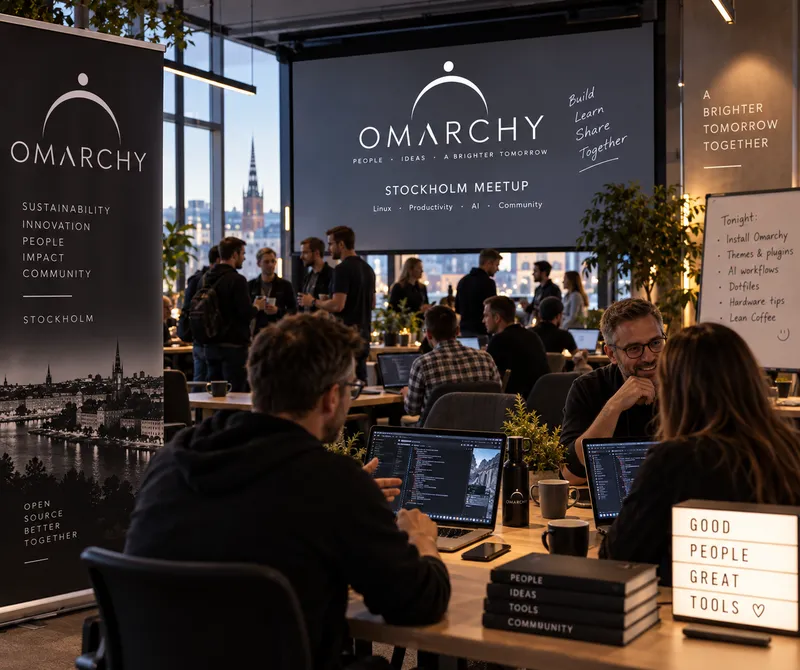
· Stockholm

· Providence

· Frisco
· Belo Horizonte
· Syracuse

· Malmö
· 杭州市

· Warszawa

· London

· Moskva
Kein Meetup in deiner Stadt dabei? Gründe dein eigenes.
Gib deinem Agenten Befehle und triff die Leute, die dasselbe tun.
Tägliches Geplauder, Support und Show-and-Tell mit Tausenden von Omarchs.
Tritt dem Server beiOmarchy-Meetups sprießen auf der ganzen Welt. Finde eins in deiner Nähe oder gründe eins.
Finde ein MeetupMelde Issues, behebe Bugs und reiche Features ein.
Auf GitHub mitwirkenHilf mit, die Menschen und Projekte zu finanzieren, die Omarchy für alle besser machen.
Werde Patron